Grand Theft Auto: San Andreas
- 4.5
- Rating
- 5.00M
- Installs
- $6.99
- Price

 Analysis by App-foxy
Grand Theft Auto: San Andreas still feels unusually ambitious on a phone. I spent time with this action game expecting a quick nostalgia trip, but what stood out was how much of the original open-world structure remains intact: long drives, story missions, optional activities, exploration, and the freedom to decide what to do next. It is not a small mobile side game. It asks for storage, attention, and a little patience while you get comfortable with touch controls, but it also gives you a surprisingly complete version of Los Santos, San Fierro, and Las Venturas to carry around.
Rockstar Games is the developer, and the mobile release has been available since December 19, 2013. The game is aimed at a mature audience, with a Mature 17+ rating, strong language, violence, criminal themes, and adult situations. That rating is important rather than decorative: this is not a suitable choice for children or for anyone looking for a relaxed, family-friendly driving game.
On the store, it is listed at $6.99, with optional in-app purchases shown at $6.99 per item. I see it as a premium purchase rather than a free-to-play experience, so the main question is whether you want a substantial single-player adventure on mobile. If you do, the price is easier to justify than it would be for a short arcade title. The game has also built a large audience, with an average rating of 4.5 from around one million ratings and over five million installs.
You May Also Like

 Pandora - Music & Podcasts
Pandora’s Music Is Easy to Start, but Harder to Recover
Pandora’s strength is its low-effort path from a seed to a station. Its weak spot is how much confidence it asks you to place in connection, setup, and quiet recovery.

 AccuWeather: Weather Radar
AccuWeather Review: A Quick, Clear Forecast for Everyday Decisions
For everyday plans, the best forecast is the one you can understand quickly. AccuWeather makes rain timing, radar, and local conditions easy to act on, with a few trade-offs.

 Hill Climb Racing
Why Hill Climb Racing Still Turns Crashes Into One More Run
A tiny car, a bumpy hill and one more upgrade: Hill Climb Racing keeps resurfacing because its simple chaos makes every near-miss feel personal.

 AliExpress - Shopping App
AliExpress Makes Global Shopping Feel Personal, but Shoppers Bear the Risk
AliExpress turns a global marketplace into a pocket-sized discovery engine. Its reach is useful, its shopping loop compelling, and its trade-offs easy to miss.

 Lords Mobile: Kingdom Wars
Lords Mobile Is a Kingdom-Building Routine, Not a Quick Match
A case-by-case verdict on the building, battles, device demands, and social commitments that make Lords Mobile rewarding for some players and exhausting for others.

 PDF Scanner app - TapScanner
TapScanner Makes Paperwork Easier to Capture, Check, and Share
TapScanner makes scanning with a phone feel less like a rescue operation and more like a dependable step in getting work done. Its capture tools are useful, though not flawless.
More From Our News Desk
View All News


How I settled into the mobile version
My first useful habit was to stop treating the touchscreen like a controller I already knew. The game presents many familiar actions, but driving, aiming, entering vehicles, and moving through busy spaces all feel different when buttons are placed over the world. During the opening sessions, I made more mistakes by rushing than by choosing the wrong strategy. I would accelerate into a turn, miss a prompt, or start a fight when I meant to interact with something nearby.
The baseline workflow that worked best for me was simple: adjust the controls before starting serious missions, play a short section to learn the button positions, then save after meaningful progress. I also avoided beginning a difficult mission immediately after loading the game. A few minutes of free driving helped me remember how the camera and movement felt on that particular day, especially if I had not played for a while.
The story gives you a clear reason to move through the world, but the open structure means you do not have to follow every objective in a straight line. I often used a quiet period between missions to explore, find a better vehicle, or simply learn the roads. That freedom is one of the best reasons to play this version instead of a linear action game. You can make progress through the story while still allowing room for your own detours.
Driving is the part that most clearly separates this port from playing with a physical controller. Touch steering can be perfectly usable once your fingers learn the layout, but it is less precise when traffic, sharp corners, and mission pressure arrive together. I found that slowing down before turns was more valuable than trying to correct a slide at the last moment. It sounds obvious, but San Andreas often punishes impatient driving more than slow driving.
For missions involving shooting, I learned to think about positioning before aiming. The touchscreen can make quick camera adjustments feel less natural than on a console, so standing in a safer place and using cover where available matters more. I also became more deliberate about switching weapons instead of tapping through options in a panic. The mobile interface is manageable, but it rewards preparation and calm movement.
Settings that deserve attention before the story gets serious
The control options are worth checking before you judge the game. I would not assume the default arrangement is right for every hand size. A button that feels conveniently placed during free exploration may become uncomfortable during a long chase. Spend time moving the layout into positions that let your thumbs reach the most common actions without covering too much of the view.
Camera behavior also deserves a personal test. A camera that sits comfortably while walking may feel too slow or too sensitive in a vehicle. I preferred making small adjustments rather than constantly dragging the view, because excessive camera movement made driving feel more chaotic. Your ideal setup will depend on whether you play with both hands, use a larger phone, or hold the device in a way that limits reach.
Visual settings involve a trade-off rather than a single correct answer. Higher visual quality can make the world more pleasant to explore, while a lighter setup may feel more comfortable on older hardware. If you notice heat, stutter, or rapid battery drain, reducing visual demands is more practical than insisting on the prettiest presentation. A smoother drive is worth more to me than a small improvement in distant detail.
Audio settings are useful for a different reason. San Andreas relies heavily on radio, dialogue, and environmental sound to give long drives their personality. I sometimes lowered the music when I wanted to follow mission instructions more carefully, then raised it again during free roaming. Headphones can make the experience more immersive, but they also make the game feel more intense because the sound design keeps the criminal world close to you.
I recommend checking your available space and battery situation before a long session. This is a large, content-heavy game rather than a title designed for a quick commute. A phone that handles short games well may still become warm during extended driving and mission play. I had a better experience when I treated it as a planned session instead of opening it with very little battery and expecting a brief distraction.
Repeatable habits that make missions less frustrating
Experienced play is less about finding a secret shortcut and more about repeating sensible routines. Before a mission, I like to make sure I know where I am, have a vehicle that is easy to control, and understand whether the objective is likely to involve driving, combat, or both. That small pause prevents many avoidable failures, particularly when the game sends you across the map.
Learning the city layout pays off more than memorizing every individual mission. I began noticing which roads offered straightforward routes and which areas encouraged awkward turns or heavy traffic. When I was not under pressure, I practiced reaching neighborhoods without relying entirely on the map. Later, that knowledge made timed driving sections feel less like a race against the interface.
Another useful pattern is separating exploration from mission attempts. If I wanted to experiment with vehicles or cause trouble, I did it before loading a serious objective rather than immediately after. This kept the story session focused and reduced the chance of arriving at a mission with a damaged vehicle or an awkward position. The game supports free-form play, but a little self-imposed organization makes the campaign easier to manage.
Saving regularly is one of the most practical habits in a long mobile game. I treated a completed mission, a successful trip across the map, or a satisfying period of exploration as a natural stopping point. That way, a failed attempt did not erase an entire evening of progress. It also made playing in short sessions more comfortable because I could stop without wondering whether I had created unnecessary risk.
For a realistic everyday scenario, imagine playing during a train ride with twenty or thirty minutes available. I would not begin a major mission at the last moment. Instead, I would load an existing save, drive around, complete a manageable objective, or explore a nearby area, then save before reaching my stop. That approach suits the game much better than forcing a dramatic mission into a tiny time window.
Vehicle choice is another overlooked part of the workflow. The fastest vehicle is not always the best one for a touch-controlled drive. A car that turns predictably and survives minor mistakes can be more useful than something difficult to control at high speed. I also found that a familiar vehicle reduced mental effort, leaving more attention for the route and the mission instructions.
Where the mobile experience reaches its limits
The biggest limitation is still the touchscreen. San Andreas was designed around controls that give separate physical feedback, and a glass surface cannot reproduce that perfectly. Driving is usually comfortable after practice, but rapid combat and camera management can expose the difference. If you already dislike touch controls in action games, this release is unlikely to change your mind.
Screen size matters as well. On a compact phone, the interface can take up a meaningful portion of the view, and small visual details are harder to read. A larger display gives the world more room to breathe and makes on-screen controls less cramped. I would choose a tablet or larger phone when possible, especially for long sessions, though portability is part of the appeal.
The game also demands more commitment than a typical mobile action title. Its open world can be exciting, but it can also feel slow if you only want a quick burst of action. Long drives, repeated attempts, and travel between objectives are part of the rhythm. Someone looking for instant matches or short rounds may prefer a focused action game with smaller levels.
The mature content is not something I would wave away as background decoration. Violence and criminal behavior are central to the tone, and the writing often aims for provocation. If you prefer heroic adventures, clean humor, or a story built around uncomplicated good choices, this is the wrong recommendation even if you enjoy open-world gameplay.
There is also a difference between playing this port for nostalgia and playing it as a first open-world experience. Returning players may forgive the older mission design and dated presentation because they already understand the appeal. New players may find some objectives less clearly communicated than in newer games, and the amount of travel can feel excessive. I would recommend patience during the early hours rather than expecting modern convenience at every step.
Performance depends on the device and the way you play. I would not plan around maximum visual settings if your phone is older or already struggles with demanding games. Keeping the device cool, closing unnecessary background activity, and taking breaks during long sessions are sensible habits. They do not transform the controls, but they can make the overall experience more stable and comfortable.
Who should choose it over the usual alternatives
I would choose this game over a typical mobile action title when I want a self-contained world with a story, freedom, and a large amount of optional activity. Many mobile alternatives are built around short rounds, energy systems, or repeated challenges. San Andreas feels different because the main experience is a continuous single-player journey. I can play at my own pace without needing another player to make the session worthwhile.
It is also a stronger choice than a simple driving game if you want driving to be only one part of the experience. Cars are important, but the campaign mixes travel, combat, exploration, and character progression. That variety keeps the world from becoming a collection of disconnected races. At the same time, someone who wants realistic driving physics should look elsewhere; this is an action sandbox first, not a dedicated simulator.
Fans of later open-world crime games may find the mobile version more compact in presentation, but its freedom and atmosphere remain compelling. Newer releases often provide smoother interfaces and more elaborate systems, while San Andreas has a directness that I appreciate. You can understand the basic loop quickly: follow the story, explore when you want, take on activities, and return to the next objective.
I would skip it if your priority is competitive multiplayer, a tiny download, or a game that feels perfect without any control adjustment. I would also skip it if you need a gentle, low-stress experience for short breaks. The mature content, extended sessions, and occasional touch-control friction make it a specific recommendation, not a universal one.
What version details mean in practical use
The current version is 2.11.311, and the listed minimum operating system is 9. That makes checking compatibility worthwhile before buying, particularly if you use an older device. Compatibility is only the first step, though: a phone may meet the operating-system requirement and still offer a less comfortable experience because of screen size, battery condition, or performance under sustained play.
The purchase model is straightforward enough for a premium game, but I would still review the purchase screen carefully before confirming anything. The listed price is $6.99, and optional purchases are displayed at $6.99 per item. I prefer deciding in advance whether I am buying the core game only, especially when using a shared device or account.
The store summary describes it as Rockstar Games’ biggest mobile release, but my reason for recommending it is more specific: it brings a broad, recognizable open world to a format where many action games are much smaller in scope. The value depends on whether you will actually spend time in that world. If you only play for a few minutes once, the purchase will feel less convincing than it does for someone who enjoys a long campaign.
For first-time players, I would begin with the story and resist trying to master every optional activity immediately. The city can be distracting, and that is part of its charm, but too much wandering early on can make the main structure feel unfocused. Once the controls become familiar, exploration becomes more rewarding because you are no longer spending all your attention on basic movement.
My verdict after building a reliable play routine
Grand Theft Auto: San Andreas works best when you meet it halfway. Give it a few minutes of control setup, accept that touch driving needs practice, and use saves as part of your routine rather than as an afterthought. In return, you get an unusually full action adventure that can support both focused story sessions and aimless exploration.
My strongest recommendation is for players who want a substantial single-player game on Android or iOS and are comfortable with mature subject matter. It is especially appealing if you enjoy setting your own pace: one mission during a break, a longer drive in the evening, or an extended session devoted to exploring rather than progressing. The game rewards familiarity, and its best moments often come after the interface stops demanding all your attention.
I would not call the mobile version flawless. Physical controls remain better for precision, small screens can make the interface tiring, and the older structure asks for more patience than many modern games. Still, those drawbacks do not erase the scale, atmosphere, and freedom that make this particular port worthwhile.
After adjusting the settings, learning safer routes, choosing controllable vehicles, and saving at sensible points, I found the experience much more consistent. That is the real mastery lesson here: not a hidden trick, but a repeatable way of playing that reduces friction. If that sounds appealing, this remains one of the more convincing premium action adventures to keep on a phone. If you want instant sessions, modern controls, or family-friendly content, choose a different game instead.
FAQs for Grand Theft Auto: San Andreas
01What is Grand Theft Auto: San Andreas about?
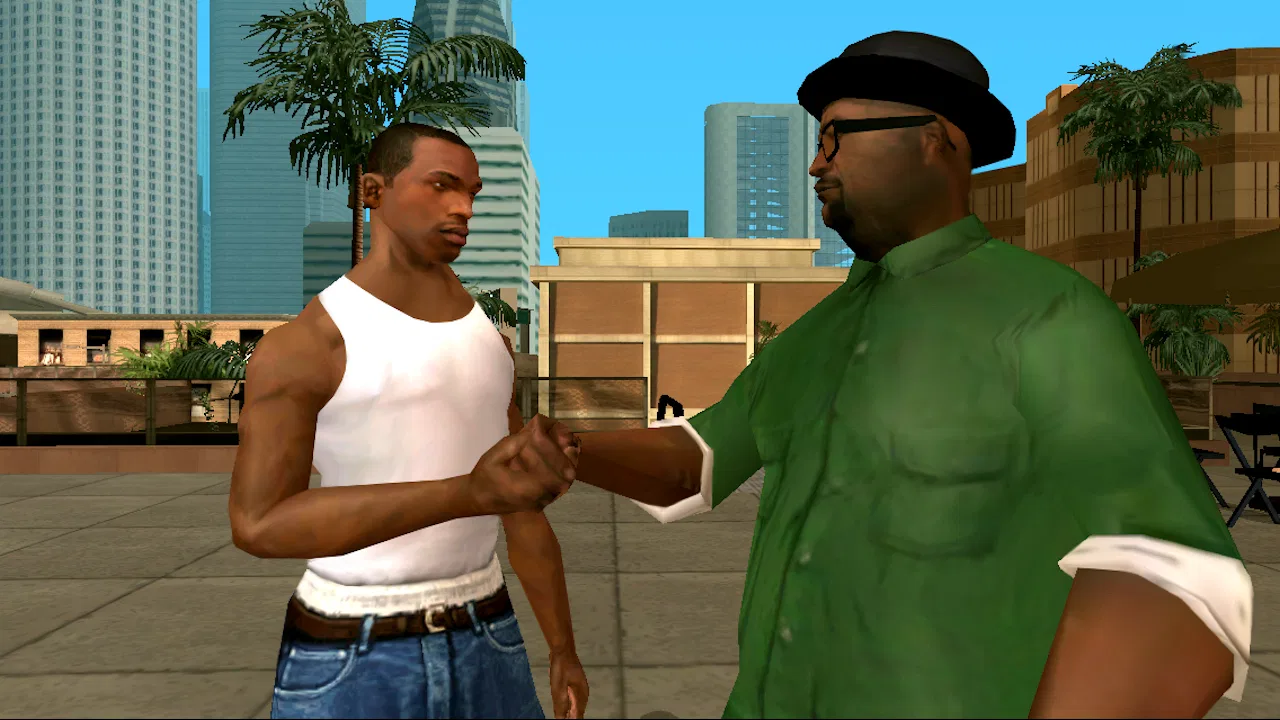
Grand Theft Auto: San Andreas is an open-world action game set in the early 1990s. You play as Carl “CJ” Johnson, who returns to Los Santos after a family tragedy and becomes involved in gang conflicts, corruption, and criminal activities. The story takes you across three major cities and large countryside areas, offering missions, side activities, driving, shooting, exploration, and character customization.
02Can Grand Theft Auto: San Andreas be played offline on Android or iOS?
Yes, the mobile version can generally be played offline after the initial installation and any required setup has been completed. An internet connection may still be needed to download the game, verify access, install updates, or restore purchases. Because requirements can vary by device and operating-system version, it is best to launch the game once while connected before traveling or playing without internet access.
03Does the mobile version include the complete San Andreas game?
The official Android and iOS release is a full adaptation of the original Grand Theft Auto: San Andreas experience, including its main storyline, open-world map, missions, vehicles, weapons, and side activities. However, mobile controls and certain technical details differ from the console and PC editions. Performance, graphics quality, and available options can also vary depending on your phone or tablet.
04What devices are required to run Grand Theft Auto: San Andreas smoothly?
Grand Theft Auto: San Andreas is an older game, but its large open world still requires a reasonably capable mobile device. You should use a supported, updated version of Android or iOS with enough free storage and memory. Newer mid-range and high-end devices usually provide smoother performance, while older phones may experience longer loading times, reduced visual quality, or occasional frame-rate drops.
05Does Grand Theft Auto: San Andreas contain mature content?
Yes. Grand Theft Auto: San Andreas is designed for mature audiences and includes violence, criminal themes, strong language, drug references, sexual material, and activities associated with gangs and organized crime. The game also features an open-world environment where players can freely engage in unlawful behavior. Parents should check the official age rating and consider the content before allowing younger players to download it.
Pros
- Large open-world map with varied cities
- countryside
- and activities.
- Deep storyline featuring memorable characters and multiple missions.
- Extensive vehicle selection
- including cars
- bikes
- boats
- and aircraft.
- Character customization includes clothing
- hairstyles
- fitness
- and body shape.
- Offline gameplay works well without a constant internet connection.
Cons
- High storage and memory requirements may challenge older devices.
- Touchscreen controls can feel awkward during driving and shooting.
- Some missions are frustrating due to strict objectives or dated mechanics.
- The mobile version may include occasional bugs or performance issues.
- Mature themes and strong language make it unsuitable for younger players.

Grand Theft Auto: San Andreas
Gallery